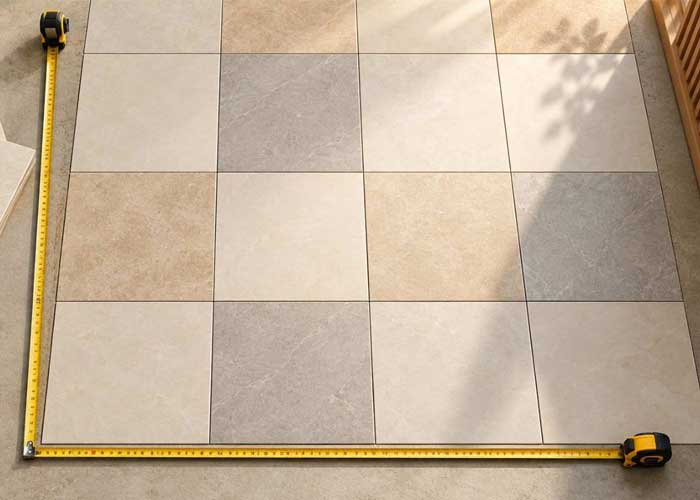
Nobody enjoys the last-minute call to the dealer: "We're a box short." Or the opposite, spare cartons gathering dust in a corner. The Johnson Tiles calculator helps you avoid both. Here's how it works, what to enter, and how to read the result so you order with confidence.
How Does the Johnson Tiles Calculator Work?
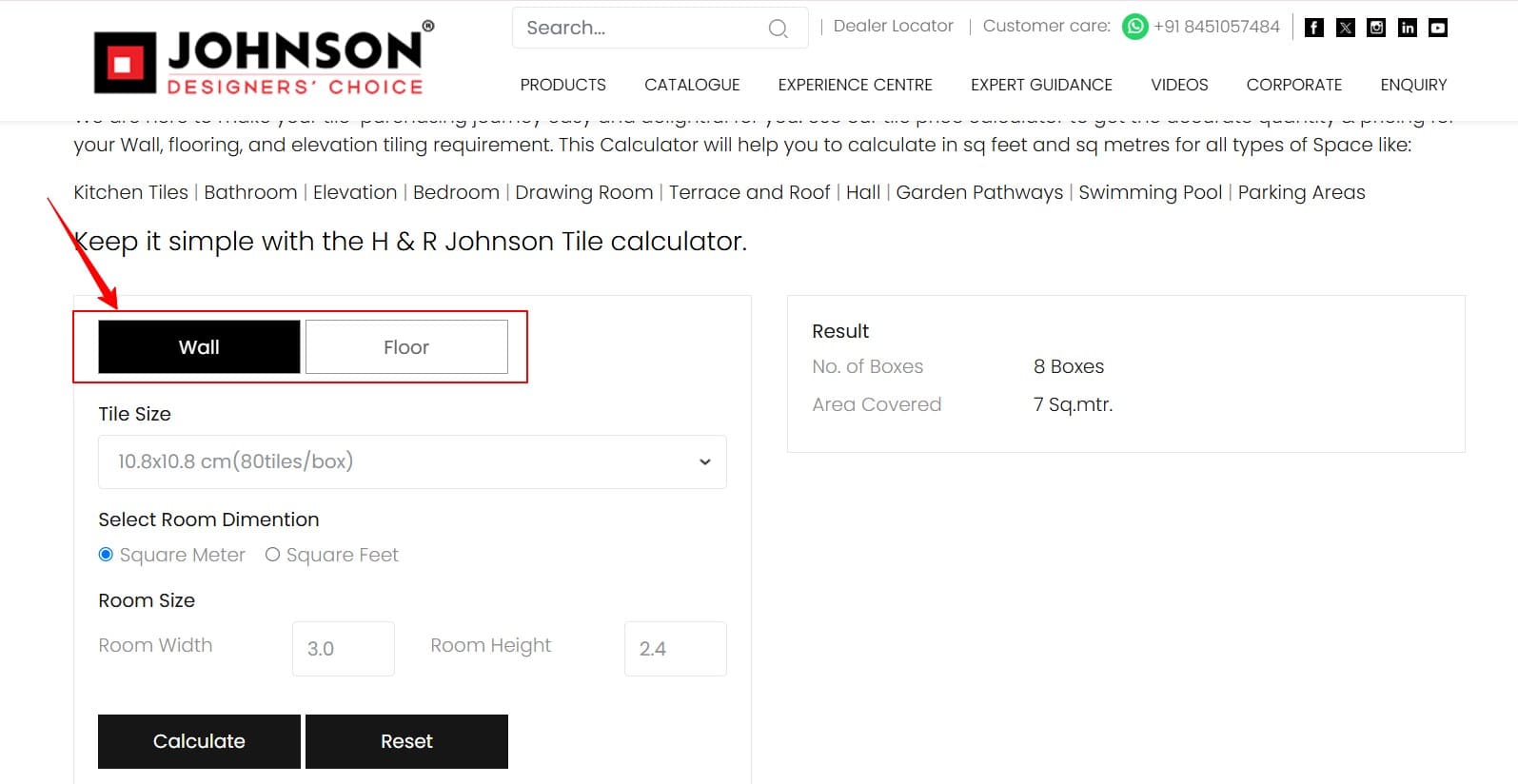
The Johnson Tiles calculator tells you how many boxes of tiles you need. Choose Wall or Floor, pick a tile size, select square metres or square feet, enter your room size, and click Calculate. It shows the number of boxes and the area they cover.
Because tiles are sold in boxes, the result is in boxes, not individual tiles. That's handy, since it's the number you'll actually order. It also saves you from doing the maths by hand: no formulas, just a few clicks.
Before You Start: What to Have Ready
Your surface - Decide whether you're tiling a wall or a floor.
Your tile - Measure both dimensions and note the unit you'll select. If you're tiling only part of a wall, use just the height you'll tile.
Your room size - Measure both dimensions and note the unit you'll select. If you're tiling only part of a wall, use just the height you'll tile.
How to Use the Johnson Tiles Calculator?
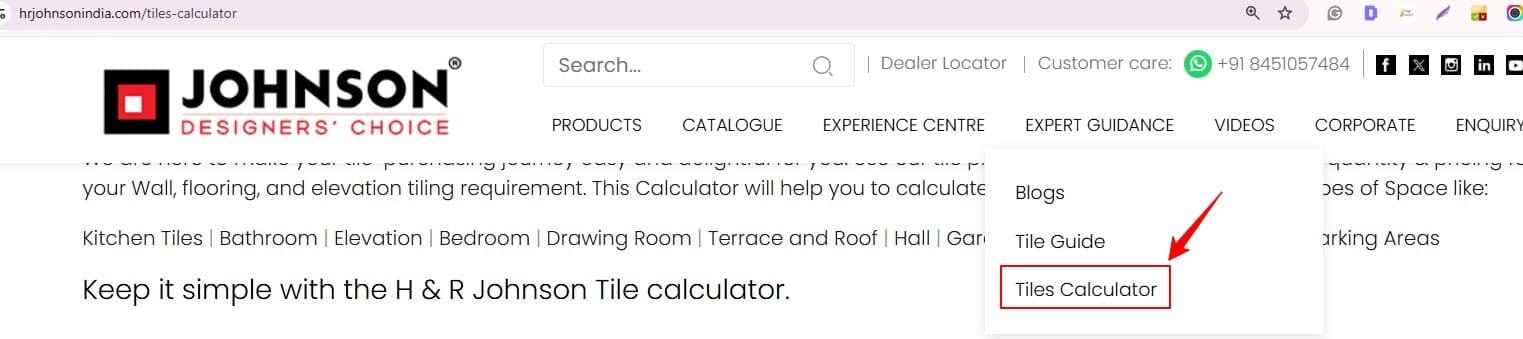
1. Open the calculator: Go to the Tiles Calculator under Expert Guidance
2. Pick Wall or Floor: Choose the tab that matches your surface.
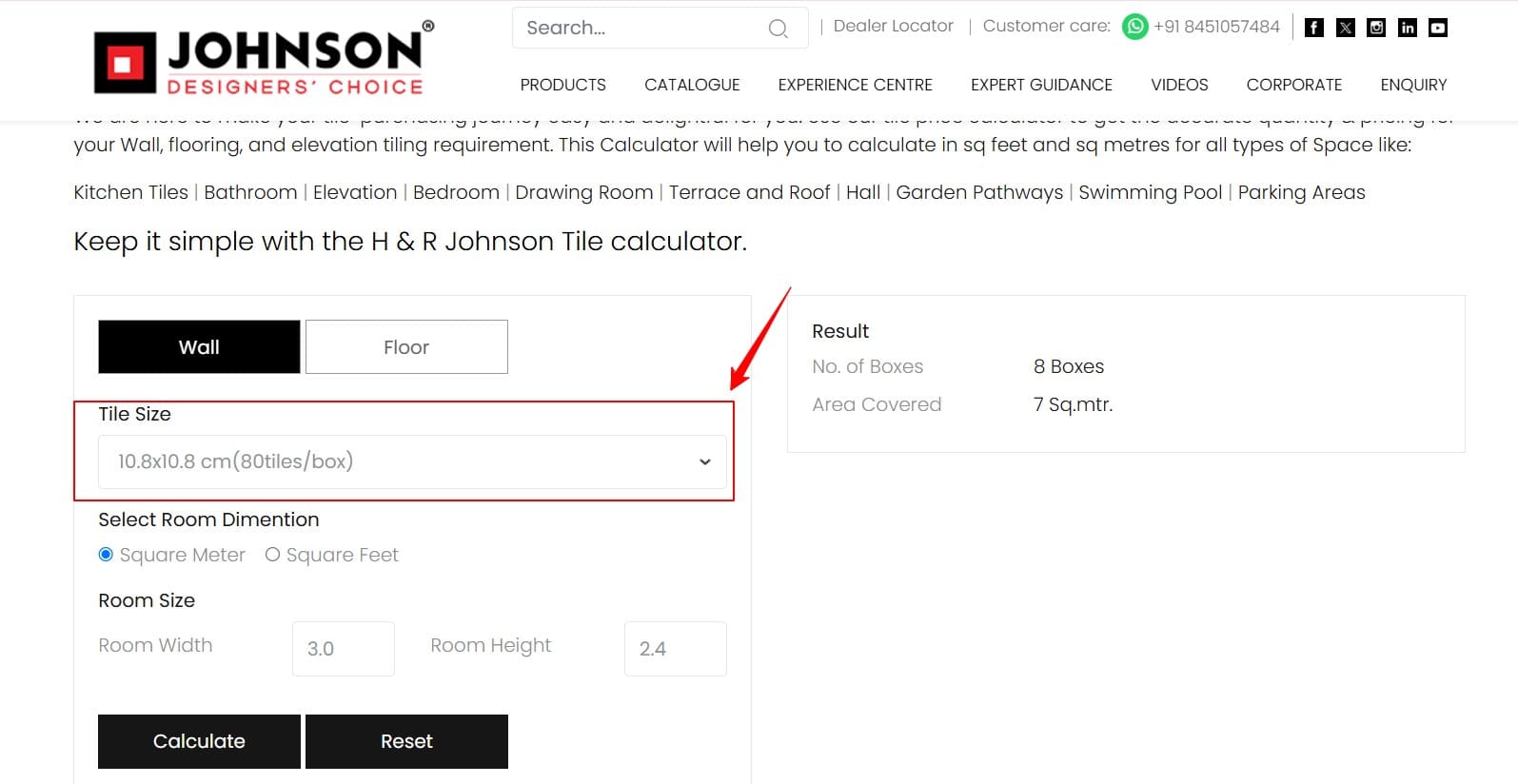
3. Choose your tile size: Select it from the dropdown, which shows tiles per box.
4. Set your unit and size: Select square metres or square feet, then enter the room's width and height.
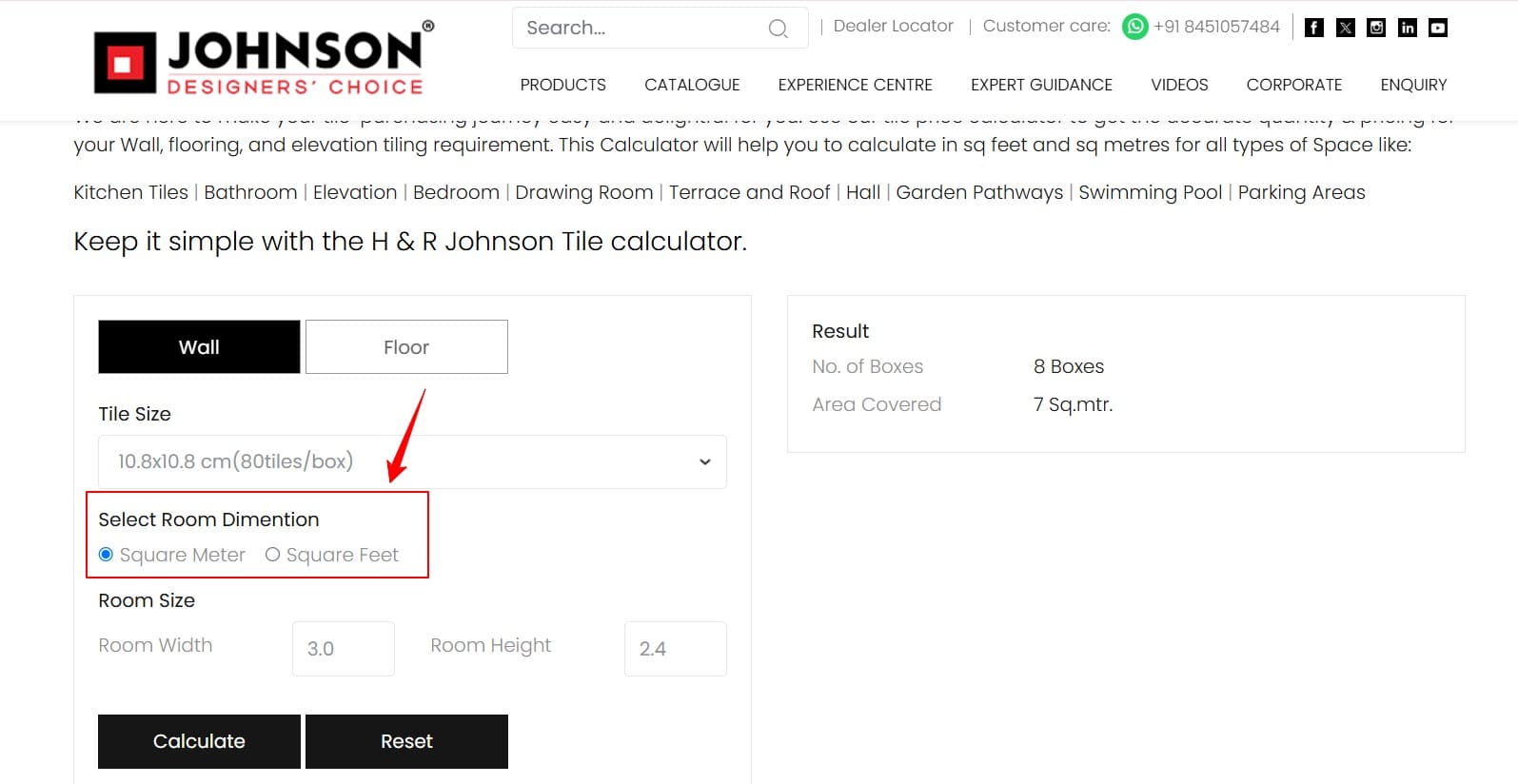
5. Click Calculate: The result shows No. of Boxes and Area Covered. Use Reset to try another tile.
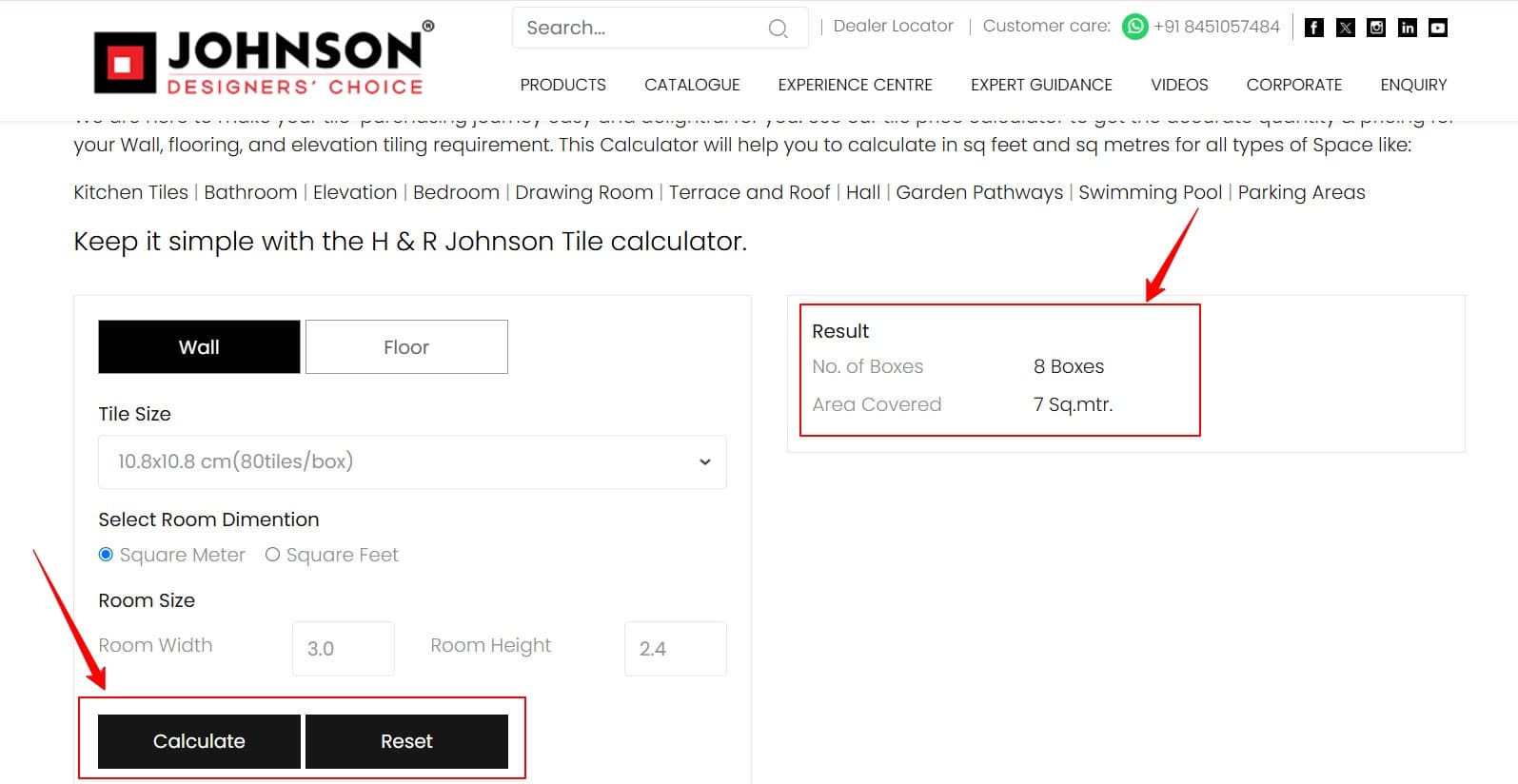
Tiling more than one surface? Run each one separately, since each surface and tile size needs its own result.
Worked Example: A Bathroom Wall
Say you're tiling a bathroom wall that is 3 m wide and 2.4 m high, using 10.8 × 10.8 cm tiles (80 per box).
| Step | Figure |
|---|---|
| Wall area | 3.0 × 2.4 = 7.2 sq m |
| One tile | 0.0117 × 80 ≈ 0.93 sq m |
| One box (80 tiles) | ≈ 0.93 sq m |
| Boxes needed | 7.2 ÷ 0.93 ≈ 7.7, so 8 |
The calculator should land close to 8 boxes. If it shows a box more, a built-in buffer may be included. If it's far off, recheck your unit. Working in feet? That wall is roughly 9.8 ft by 7.9 ft.
The Spare Check: Read Your Result Like a Pro
Here's a trick that's easy to miss. Compare the Area Covered figure with your actual wall or floor area. The difference is your spare.
| Order | Boxes | Area covered | Spare |
|---|---|---|---|
| Bare minimum | 8 | 7.47 sq m | about 4% |
| Safer order | 9 | 8.40 sq m | about 17% |
Aim for at least 10% spare to cover cuts and breakage, or around 15% for diagonal and patterned layouts. In this example, nine boxes is the safer order. If your result already includes a buffer, your spare will look larger, which is fine. The same check works for floors. Keep any unopened leftover box for future repairs.
Common Mistakes to Avoid
Mixing up surfaces: Walls and floors need separate calculations. Switch tabs for each.
Ignoring the unit: Check whether square metres or square feet is selected before you click Calculate.
Ordering the bare minimum: Always run the spare check before you place the order.
Buying in stages: Order every box together. Tiles from different batches can vary slightly in shade.
From Boxes to Budget
Once you know the boxes, budgeting is easy. Multiply the area covered by the floor tiles by the rate of your chosen range, then add installation costs. Want to understand the maths behind the result? Read our guide on how to calculate the number of tiles .
FAQs
Boxes, plus the total area those boxes cover.
Yes. Choose Wall for wall tiles and Floor for floor tiles, then calculate each surface separately.
Aim for 10% spare, or about 15% for diagonal and patterned layouts. The Area Covered figure helps you check.
Use the spare check above. If the spare is under 10%, add a box.
Ready to Calculate? Start With Johnson Tiles
Numbers in hand? Open the Johnson Tiles calculator and get your box count in minutes. Then visit an Experience Centre or find a dealer through the Dealer Locator to see your shortlisted tiles in person. Bring your results, and the team can help you match the right size and finish to every room.